
Product News

A driver-facing camera is an in-cab video device that records the driver's behavior while operating a commercial vehicle, and it has become one of the most discussed pieces of fleet safety technology in trucking today. Drivers, fleet managers, and safety officers search for information about these inward facing cameras to understand how they work, whether they are legal, how they affect driver privacy, and whether the safety benefits justify the concerns they raise.
This guide covers the full picture: what driver-facing cameras do, how they fit into broader driver monitoring systems, the real privacy and legality questions surrounding them, and where they fall short as a standalone safety tool.
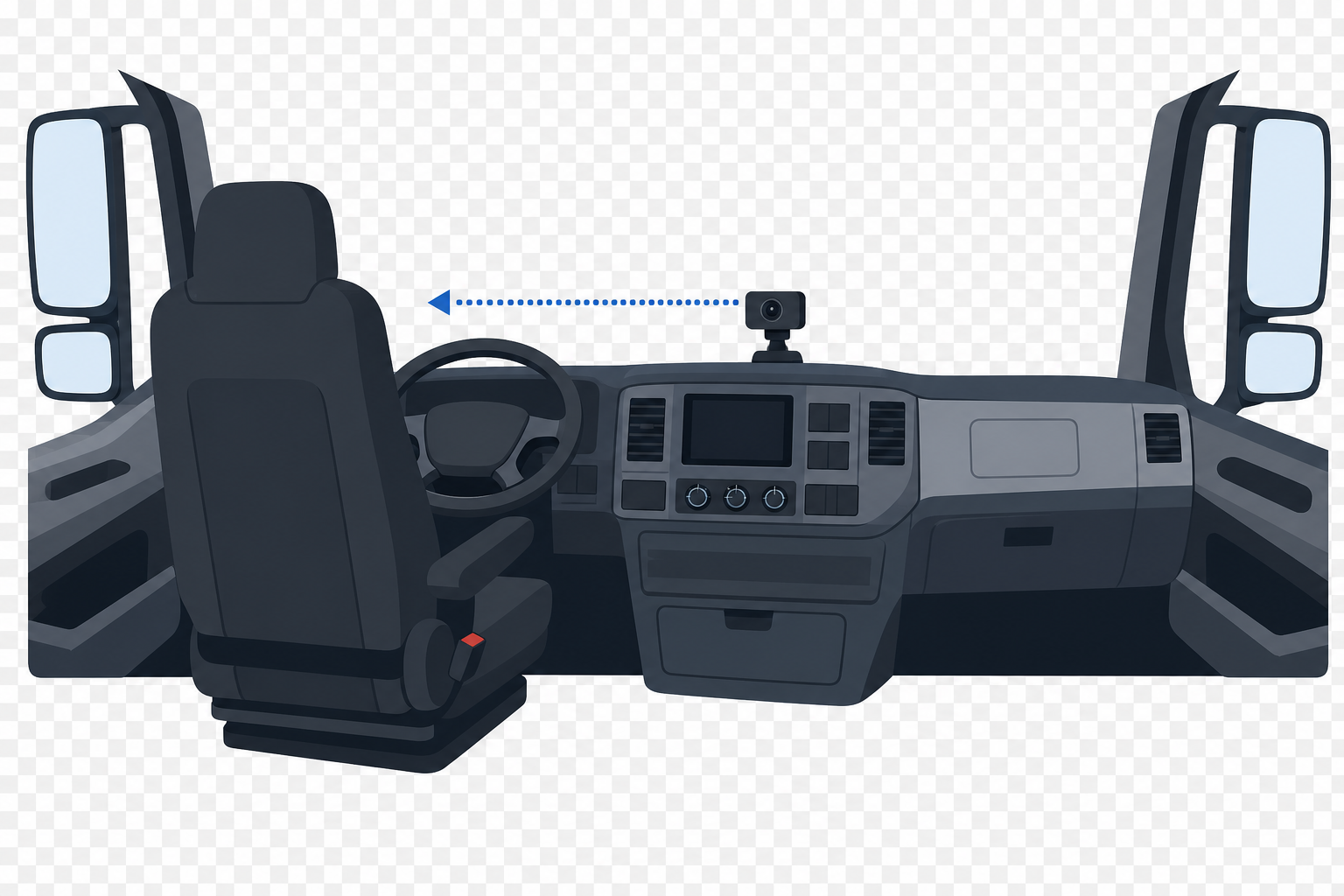
A driver-facing camera, sometimes called an inward facing camera, is typically mounted on the windshield or dashboard and pointed toward the driver's seat. Depending on the system, it may record continuously or capture short video clips when a triggering event occurs. Common triggers include hard braking, rapid acceleration, swerving, or collision alerts detected through telemetry in trucking systems.
Many modern driver safety cameras use artificial intelligence to detect specific behaviors in real time. These can include:
When the camera detects one of these behaviors, it typically sends a short clip and an alert to the fleet's safety team. That alert then feeds into a driver coaching workflow where a manager reviews the footage and follows up with the driver.
Most fleet deployments pair the driver-facing camera with a road-facing camera. The outward lens captures the driving environment, while the inward lens captures the driver's actions. Together, these dual-lens dash cam technology setups give safety managers context. Hard braking data from telematics can show what happened. The interior video can help explain why it happened.
Fleet managers and safety directors adopt driver-facing cameras for several concrete reasons.
Incident documentation and liability protection. When a collision or near-miss occurs, interior and exterior video provides an objective record. In an industry facing rising litigation costs and large jury verdicts, this documentation can protect carriers from false claims and demonstrate that the company takes safety seriously.
Driver coaching based on real events. Rather than relying on generic safety training, managers can use specific video clips to coach individual drivers on behaviors they actually exhibited. This targeted approach tends to be more effective than classroom-style refreshers because it connects feedback to a moment the driver remembers.
Reduction in risky behaviors over time. Fleets that implement driver safety cameras often see a measurable drop in distracted driving and other policy violations within the first few months. The awareness that footage is being reviewed creates an accountability loop that encourages safer habits.
Insurance incentives. Some insurance carriers offer premium discounts or more favorable terms to fleets that deploy camera systems as part of their safety program. The documented evidence of proactive risk management can support better underwriting outcomes.
Despite the safety case, driver privacy concerns remain the single largest barrier to adoption. Drivers consistently rank inward facing cameras as the most intrusive piece of fleet safety technology in their cab. Several factors drive this resistance.
The feeling of constant surveillance. Many drivers spend days or weeks living in their truck cab. The cab is where they sleep, eat, change clothes, and make personal phone calls during off-duty time. A camera pointed at that space, even one that only records during driving, creates a sense that personal boundaries have been erased.
Distrust of how footage is used. Drivers worry that video will be used to discipline or terminate them rather than to coach and support them. In online driver communities, stories circulate about footage being reviewed out of context or used to build a case for firing. Whether those stories are representative or not, they shape how drivers perceive the technology.
Unclear recording policies. Not all fleets clearly communicate when the camera is recording, who can access the footage, how long it is stored, and whether it captures audio. This ambiguity deepens suspicion. Fleets that provide transparent, written policies about camera use tend to see higher driver acceptance than those that install cameras without explanation.
Retention risk. In a tight driver labor market, the presence of a driver-facing camera can influence a driver's decision to stay with a carrier or accept a job offer. Surveys of commercial drivers show that many would prefer to work for a company without inward facing cameras if given the choice, all else being equal.
The legality of driver-facing cameras varies by jurisdiction, and fleet managers should understand the rules before deploying them.
In the United States, there is no federal law that prohibits the use of driver-facing cameras in commercial vehicles. The Federal Motor Carrier Safety Administration (FMCSA) does not mandate them, but it does not restrict them either. The legal landscape becomes more complex at the state level, particularly around audio recording.
Video recording. In most U.S. states, employers can record video of employees in the workplace, and the cab of a commercial vehicle during working hours is generally considered a workplace. Drivers do not typically have a legal expectation of privacy while operating a company-owned vehicle during on-duty hours.
Audio recording. This is where the rules diverge. Some states are "one-party consent" states, meaning only one person in the conversation needs to consent to recording. Other states require "all-party consent," meaning every person being recorded must agree. Fleets operating across state lines need to understand which states they pass through and whether their camera systems capture audio.
International considerations. In Canada, the European Union, and Australia, privacy regulations tend to be stricter. Fleet managers operating in these regions should consult legal counsel before deploying cameras with inward facing capability, as data protection laws may impose additional requirements around consent, data storage, and driver notification.
A practical step for any fleet is to develop a clear camera usage policy, have drivers acknowledge it in writing, and ensure the policy addresses recording triggers, data retention, access controls, and whether audio is captured.
Understanding the limits of driver-facing cameras is just as important as understanding their strengths. These systems are effective at capturing and documenting events after they begin to unfold. They are less effective at preventing the underlying conditions that cause those events in the first place.
Cameras detect fatigue symptoms. They do not predict fatigue risk. A driver-facing camera can identify when a driver's eyes close or their head drops. By that point, the driver is already impaired. The alert goes to the safety team after the drowsy episode has occurred on the road. This is valuable for documentation and coaching, but it means the intervention happens after the risk has already materialized.
Cameras generate alert volume that can overwhelm safety teams. A large fleet may produce hundreds or thousands of camera-triggered events per week. Safety managers must review, categorize, and respond to each one. This workload can lead to alert fatigue, where the sheer volume of notifications causes important signals to be missed or deprioritized.
Cameras do not account for the biological factors behind fatigue. Shift timing, sleep history, circadian rhythm disruption, and cumulative sleep debt all influence a driver's cognitive fitness before they ever start the engine. A camera cannot assess any of these factors. It can only observe the behavioral symptoms once they appear.
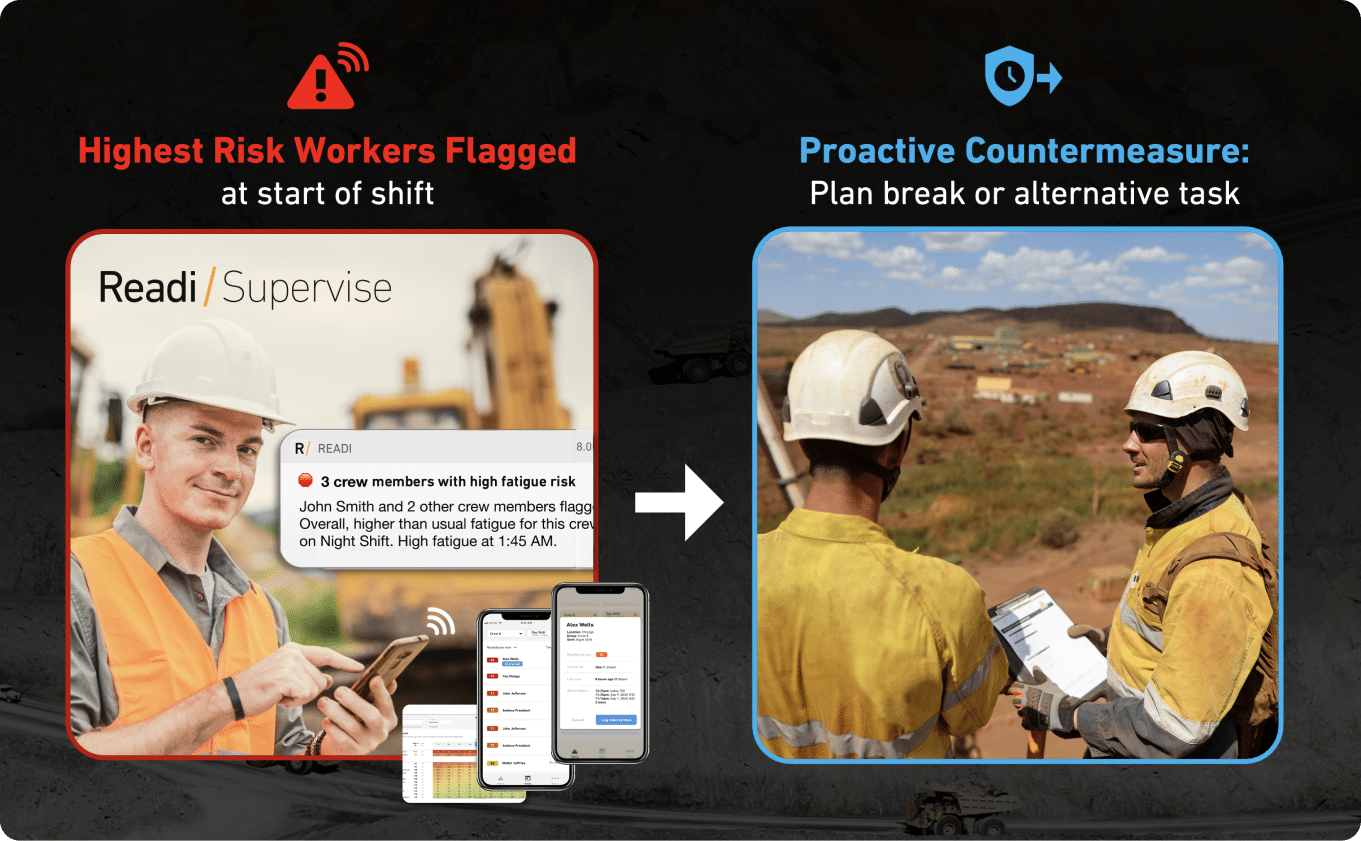
This is where predictive fatigue management adds a layer that cameras alone cannot provide. For example, tools like Readi use sleep and schedule data to forecast fatigue risk up to 18 hours before a shift begins, without requiring wearables or additional hardware in the cab. This type of leading indicator allows dispatchers and safety managers to intervene before a fatigued driver gets behind the wheel, rather than reacting to a drowsiness alert mid-route.
Fleets that succeed with driver-facing cameras tend to follow a consistent set of practices that address driver concerns directly.
Lead with transparency. Explain exactly what the camera records, when it records, who reviews the footage, and how long clips are stored. Put this information in writing and make it part of the onboarding process.
Frame cameras as a coaching tool, not a punishment tool. The language used to introduce cameras matters. Fleets that describe cameras as a way to "catch drivers doing something wrong" will face resistance. Fleets that describe them as a tool to "help drivers improve and protect them in the event of a false claim" tend to see better buy-in.
Start with the road-facing camera. Some fleets introduce outward-facing cameras first and add the driver-facing component later. This phased approach gives drivers time to see the benefits of video documentation before the inward lens is activated.
Share positive outcomes. When camera footage exonerates a driver in an accident claim or helps identify a road hazard, share that story with the team. Concrete examples of cameras protecting drivers build trust faster than policy documents alone.
Limit access to footage. Restrict who can view interior video to a small group of trained safety personnel. Drivers are more likely to accept cameras when they know their footage is not being casually browsed by dispatchers, HR staff, or other managers.
Driver-facing cameras are one component within a broader category of driver monitoring systems. Fleet managers evaluating their options should understand how cameras compare to other approaches.
| Feature | Driver-Facing Camera | Telematics / ELD | Predictive Fatigue Management |
|---|---|---|---|
| What it detects | Visible behaviors (distraction, drowsiness, phone use) | Vehicle events (hard braking, speeding, HOS violations) | Fatigue risk based on sleep and schedule data |
| When it detects | During or after the event | During or after the event | Up to 18 hours before the shift |
| Driver interaction required | Minimal (camera is passive) | Minimal (ELD logs automatically) | Minimal (no wearables needed in some systems) |
| Privacy impact | High (visual monitoring of driver) | Low (vehicle data only) | Low (schedule-based, not visual) |
| Best used for | Event documentation, coaching, liability protection | Compliance, route analysis, vehicle performance | Pre-shift risk assessment, schedule optimization |
No single technology covers every dimension of driver risk. The strongest fleet safety programs use a combination of tools, with each one addressing a different stage of the risk timeline. Cameras document what happens on the road. Telematics track how the vehicle is being operated. Predictive fatigue management identifies whether the driver was fit to be on the road in the first place.
Fleet managers weighing a driver-facing camera deployment should evaluate several factors beyond the technology itself.
Driver turnover impact. Assess whether camera installation could increase turnover in a market where recruiting qualified drivers is already difficult and expensive. The cost of replacing a single driver can range from $5,000 to $10,000 or more when accounting for recruiting, training, and lost productivity.
Alert management capacity. Determine whether your safety team has the bandwidth to review and act on the volume of alerts a camera system will generate. A camera program that produces thousands of unreviewed clips per month adds cost without adding safety value.
Integration with existing systems. Evaluate how the camera platform connects with your ELD, telematics, and driver management systems. Isolated data creates extra work. Integrated data creates actionable insight.
Legal review. Confirm that your camera configuration and recording policies comply with the laws in every state or jurisdiction where your drivers operate. Pay particular attention to audio recording consent requirements.
Clear ROI expectations. Define what success looks like before deployment. Whether the goal is fewer accidents, lower insurance premiums, reduced litigation exposure, or improved driver coaching outcomes, having measurable targets helps justify the investment and guide the program over time.
In fleet operations, driver-facing cameras usually follow a closed-loop workflow tied to a specific safety event. The system records the moments around that event, sends the clip into a review queue, and turns the footage into a documented supervisor action.
Most driver monitoring systems rely on short event clips rather than broad manual observation. That design lets fleets review the exact sequence tied to risk, which matters in logistics environments where a single night run, weather shift, or public-road incident can affect safety, cargo, and service performance at the same time.
The recording process starts when the system detects a defined trigger through vehicle movement or camera-based logic. In practice, that may include harsh braking, rapid acceleration, lane deviation, or another abnormal movement linked to telemetry in trucking data.
Once the threshold is met, the device stores a brief segment from both sides of the event. That clip window gives the reviewer three useful layers of detail:
This sequence gives inward facing cameras practical value beyond a simple timestamp. A harsh brake on its own only marks vehicle behavior; the video can show whether the driver reacted late, tracked the roadway correctly, or faced a traffic conflict outside their control.
After capture, the saved file moves to a cloud platform where safety staff sort and review events by type, severity, driver, or terminal. The review process often supports behavior scoring and creates a record for driver coaching, event documentation, or no-action closure.
That structure helps fleets manage footage at scale without manual clip retrieval from each truck. It also gives supervisors a consistent basis for follow-up across different routes, shift schedules, and driver groups.
| Workflow step | What the platform does | Why it matters operationally |
|---|---|---|
| Event intake | Receives the saved clip with time and vehicle data | Preserves the event record quickly |
| Supervisor review | Presents the footage with related safety details | Helps distinguish preventable vs. non-preventable events |
| Behavior classification | Tags the event by risk type and seriousness | Supports fair review standards across the fleet |
| Coaching assignment | Routes the event into a follow-up process | Turns video into a usable safety action |
For safety managers, this matters less as a technology feature than as a workload issue. The real value comes from the ability to synthesize information from multiple systems and make better decisions without forcing staff to sort through disconnected screens, spreadsheets, and isolated event logs.
Some driver safety cameras include AI models that scan for visible signs of drowsiness or distraction. These systems may flag prolonged eye closure, head nodding, or gaze movement away from the roadway and then issue an immediate in-cab warning while also saving the event for later review.
That capability can support quick correction in the cab, but it still depends on visible symptoms. A driver may already operate at reduced cognitive effectiveness before any camera detects fatigue-related behavior, which is why many fleets pair dash cam technology with other sources of operational risk data.
Camera footage becomes more useful when it sits inside a connected fleet safety technology stack. When the platform pulls in telematics, ELD-related timing, and other operational records, supervisors can compare in-cab behavior with speed changes, route timing, and shift conditions in one place. For teams that already invest in vehicle cameras and formal fatigue processes, tools such as Fatigue Science add on-demand visibility into fatigue risk and workforce performance to support decisions on scheduling, task planning, worker training, and resource allocation.
For fleets that already manage telematics, ELD records, and dispatch pressure across long routes, driver-facing cameras add a usable layer of evidence inside the cab. That matters most in operations where a single event can lead to injury, damaged freight, service failure, or a claim that follows the company for years.
The practical value of inward facing cameras usually shows up in three places: stronger defense after an incident, more precise driver coaching, and a clearer record of how the fleet manages risk. Those outcomes explain why driver safety cameras now sit near the center of many fleet safety technology programs.
In a disputed accident, the key question often comes down to driver conduct in the cab just before impact. Driver-facing camera footage can show whether the driver watched the road, maintained control, wore a seat belt, or reacted to a hazard in a reasonable way.
That evidence can change the direction of a claim. Safety teams and legal counsel no longer have to rely only on statements from the driver, the claimant, or a witness with a partial view of the event. In severe cases, especially those tied to large trucking verdicts, a short interior clip may carry more weight than pages of written reports because it shows conduct directly rather than describing it after the fact.
For carriers with high public exposure, this has operational value beyond the courtroom. A documented record of driver behavior helps protect CSA-sensitive operations, supports internal incident review, and gives risk leaders a firmer basis for deciding whether an event reflects driver error, outside-party fault, or an unavoidable road condition.
Driver coaching works better when both sides review the same moment, not a score alone. A short event clip can show mirror checks, hand movement, glance duration, posture, and response time in a way that telemetry in trucking cannot.
That level of detail helps supervisors separate patterns from one-off events. A driver who brakes hard because a passenger vehicle cuts across the bumper needs a different conversation than a driver who repeatedly looks down before late braking. Video gives the coach a clearer starting point, which reduces guesswork and shortens the path to corrective action.
Research cited in the top-ranking material also points to measurable behavior change after fleets install in-cab camera systems. That matters because many driver monitoring systems create large event volumes; without visual evidence, safety teams often spend more time sorting alerts than improving performance.
Many insurers now look beyond a written safety policy and ask how a fleet verifies conduct on the road. Driver-facing cameras help answer that question because they create a record that links a safety event to an actual review process.
That record can support underwriting discussions, claims handling, and audit preparation. It shows whether the fleet reviews high-risk events consistently, documents follow-up, and uses footage as part of a structured safety process rather than an ad hoc response after a crash.
For multi-terminal fleets, this also helps standardize oversight across managers and regions:
Privacy concerns often decide whether a driver-facing camera rollout gains acceptance or meets resistance. In trucking and other safety-sensitive fleet operations, objections tend to center on the driver’s sense of personal space, especially when the same cab supports both work hours and overnight rest on long routes.
That concern carries measurable weight. Industry research cited in the market shows driver approval of driver-facing cameras at 2.24 on a 0-to-10 scale. That level of resistance matters for fleets that rely on driver trust, stable retention, and consistent use of fleet safety technology across night driving, weather exposure, and long-haul schedules.
Driver trust depends heavily on how inward facing cameras fit into the daily reality of the job. In many fleets, drivers already manage ELD screens, dispatch messages, navigation, collision warnings, and telemetry in trucking alerts. An interior camera can feel less like a single device and more like one more system that places the driver under review.
Privacy concerns usually become sharper around a few practical questions:
These questions affect more than privacy. They influence whether drivers accept driver coaching, whether supervisors receive candid feedback from the field, and whether a camera program strengthens or weakens the broader safety culture.
Camera legality often turns on configuration details rather than the camera itself. A basic event-triggered video unit creates one set of issues. A system that captures audio, tracks facial features, or uses AI-based driver monitoring systems creates another.
Fleet managers should review the following areas before installation:
| Privacy issue | What fleets need to verify | Operational impact |
|---|---|---|
| Video function | Whether the device records continuously or only around a triggered event | Affects driver notice, review volume, and acceptance |
| Audio settings | Whether audio is active in states with stricter consent rules | May require a separate consent process or full deactivation |
| AI features | Whether eye-tracking, facial analysis, or drowsiness detection triggers biometric privacy obligations such as Illinois BIPA | Changes legal review, disclosure language, and retention rules |
| Rest-period boundaries | Whether the system shuts off during sleeper-berth or off-duty periods | Helps reduce privacy complaints from long-haul drivers |
| Cross-border data handling | Whether GDPR or other regional privacy rules apply to fleets with international operations | Shapes storage controls, access rights, and documentation |
This review matters because fleets often expand camera features over time. A driver-facing camera that begins as event-based dash cam technology may later add fatigue flags, distraction scoring, or other analytics. Each added feature changes the privacy profile and may require new disclosures.
A strong privacy policy should answer operational questions in plain language. Drivers need specifics, not broad statements about safety improvement. The document should state when recording starts, which events save clips, whether audio remains off, how long footage stays in the system, and which roles may access it.
Most fleets benefit from a policy that covers:
Commercial drivers generally understand the safety case for monitoring in high-risk fleet operations. Acceptance rises when privacy limits are concrete, the review process is narrow, and the written standard matches what happens in practice.
Driver-facing cameras help fleets review in-cab behavior, but they leave key parts of risk outside the frame. In logistics operations that run overnight, cross long distances, or depend on strict delivery timing, that gap affects dispatch decisions, supervisor workload, and driver trust.
The limits become clearer once the camera shifts from evidence tool to primary safety control. Driver monitoring systems can flag what happened in the cab; they do not provide a complete picture of the conditions that made the event more likely.
Most driver-facing camera platforms save footage only after a triggering event such as harsh braking, rapid acceleration, swerving, or a collision alert tied to telemetry in trucking systems. That sequence gives fleets a record of the event window, but the footage arrives after the risk has already shown up in traffic.
This matters in operations that assign night routes, back-to-back shifts, or long highway segments. A safety manager can review the clip, score the behavior, and schedule driver coaching, yet none of those steps change the fact that the driver was already in motion when the system recognized the problem.
A camera-centered workflow also offers limited support for front-end planning. It does not help a dispatcher compare two drivers for a late-night run based on likely alertness, and it does not help an operations team adjust task timing before a high-risk shift begins.
AI-based inward facing cameras can misclassify routine actions as unsafe behavior. Drivers report alerts for normal actions such as taking a sip of water, touching dash controls, or making brief head movements inside the cab. When that pattern repeats, confidence in the device drops fast.
The issue does not stay with the driver. Safety teams then face a larger review queue, weaker signal quality, and more friction in coaching conversations because the saved clip does not always reflect meaningful risk. In fleets with high event volume, that extra review time competes with investigations, coaching follow-up, and other safety work.
The cab environment adds another layer. A driver may already manage ELD prompts, navigation instructions, lane-departure warnings, collision alerts, and other dash cam technology inputs during the same trip. Additional alerts from driver safety cameras can increase mental load rather than reduce it, especially on congested routes or overnight schedules.
The largest weakness sits below the surface of what the lens can capture. Driver-facing camera systems cannot calculate sleep debt, track circadian disruption, or account for the effect of repeated night work on cognitive effectiveness. Those factors shape performance before any visible drowsiness appears.
That blind spot matters because a driver can remain composed on video while still operating below normal mental sharpness. Slower reactions, weaker judgment, and lower attention control may exist well before obvious signs such as prolonged eye closure or head nodding show up on camera.
For fleets that already use vehicle cameras, telematics, or fit-for-duty processes, this is where a separate fatigue layer adds value. Tools such as ReadiAnalytics provide on-demand visibility into workforce fatigue risk and performance for supervisors and operations teams, which supports decisions on scheduling, task planning, worker training, and resource allocation. Camera footage can show what the driver did in the moment; it cannot show the fatigue exposure that built across the prior sleep and shift pattern.
A driver-facing camera program changes daily fleet operations in ways that often stay hidden during procurement. The right review starts with field use: who sees the clips, how fast they respond, and whether the system fits the realities of overnight routes, severe weather exposure, and public-road risk.
For fleets that already invest in vehicle cameras or fit-for-duty processes, the decision usually comes down to control and fit. A camera may capture useful evidence, but weak rollout planning can create resistance, policy disputes, and extra review work for safety leaders.

Most rollout problems start before the first truck leaves the yard. Drivers want direct answers about what the inward facing cameras do inside the cab, what counts as a saved event, and whether the footage supports coaching, claims review, or both.
That communication should happen early and in writing. Fleets that wait until installation day often trigger speculation, especially among long-haul drivers who treat the cab as both workplace and living space.
A written policy should cover these points with plain language:
Experienced drivers should have input before the fleet locks the policy. In union environments, employee representatives should review the plan as well. That step often reduces pushback because it addresses practical concerns before they turn into a trust problem.
Camera legality depends on system configuration, route geography, and local privacy rules. A fleet cannot rely on a general assumption that company-owned vehicles remove all legal complexity.
Audio settings deserve close review because recording laws differ by state. A system that records cabin conversations may create a very different compliance burden than one that saves video only. Facial analysis features may add another layer where biometric privacy laws apply.
Fleet managers should verify three legal points before deployment:
Cross-border or multi-jurisdiction fleets should review the rules by operating region rather than by headquarters location. Privacy expectations and recording restrictions can shift fast once a vehicle moves across state or national lines.
A standalone video portal often creates more work than value. Safety teams already move between ELD records, telematics events, claims files, maintenance systems, and dispatch tools; one more disconnected screen can slow response time and weaken follow-through.
The better question is whether the camera platform strengthens the rest of the fleet safety technology stack. Driver monitoring systems work best when event footage lines up with vehicle speed, duty status, route segment, and the exact telemetry in trucking data that triggered the review.
For example, our fatigue risk management platform Readi integrates directly with your ELD, time and attendance, and telematics systems, so you can see all your data in one place.
Fleet managers should test integration in three practical areas:
This matters because fleets do not reduce risk by collecting more isolated data. They improve results when supervisors can synthesize information from multiple systems and make better decisions about coaching, staffing, and route execution without grinding through separate dashboards and spreadsheets.
A camera purchase should include a workload estimate, not just a hardware quote. Every saved clip requires a decision: dismiss it, coach it, escalate it, or preserve it for claims handling.
That review burden can become significant in larger fleets. Some systems flag routine actions too aggressively, which can frustrate drivers and consume manager time without improving driver safety.
Before installation, fleet leaders should define:
A strong program design leaves room for positive recognition. Fleets that use driver safety cameras only to find fault often undermine adoption, while fleets that also use video to validate safe decisions can build stronger acceptance across the driver group.
Inward facing cameras record what the driver looks like once fatigue begins to show through behavior. That timing limits their value for prevention in fleets that run overnight routes, rotating starts, or long stretches of consecutive duty periods.
A driver can complete a pre-trip, maintain lane position, and still begin the shift with a high fatigue load from prior sleep loss and circadian disruption. In-cab monitoring systems only pick up fatigue after visible signs emerge in the cab, which leaves dispatch and safety teams with little room to change the conditions that created the exposure.
Predictive fatigue management brings a different type of signal into fleet safety technology. It uses operational inputs from connected systems to give supervisors on-demand visibility into workforce fatigue risk and performance, which supports decisions about resource allocation, task planning, worker training, and scheduling.
That matters most in transportation environments where a driver may need to move freight through the night, in weather, or on a delivery window that cannot absorb much delay. Instead of waiting for dash cam technology or telemetry in trucking platforms to surface a harsh event, operations can use fatigue risk data during shift planning and dispatch sequencing, when schedule changes still remain practical.
Driver-facing camera benefits are strongest in review workflows. Predictive fatigue management works best upstream, where fleets shape assignments before the road introduces more variables.
A simple comparison shows the gap:
| Safety tool | Primary use in fleet operations | Point of action |
|---|---|---|
| Driver-facing camera | Review in-cab behavior, support driver coaching, add event context | After a trigger or visible behavior change |
| Telematics and ELD data | Track vehicle events, duty status, and route activity | During or after an event pattern forms |
| Predictive fatigue management | Support scheduling, dispatch, and crew assignment decisions with fatigue risk visibility | Before the shift and before high-risk portions of work |
For safety leaders, this shifts fatigue from a clip-review issue into an operating constraint that can be managed like route difficulty, start-time density, or equipment availability.
Supervisors need more than footage when the same driver shows repeated risk across certain runs or time windows. They need a way to connect performance patterns with work design.
That is where predictive fatigue management becomes useful:
This approach fits the needs of fleets that already invest in driver safety cameras and fit-for-duty processes but need a stronger way to act before fatigue turns into public risk, equipment loss, or service disruption.
The main value does not come from replacing cameras, telematics, or ELD data. It comes from helping existing teams make better decisions across multiple systems without sorting through separate dashboards and reactive alerts after the fact.
In transportation operations that already rely on driver-facing camera programs, a predictive layer helps reduce waste, avoid false starts in decision-making, and improve the usefulness of current safety workflows. When fatigue risk becomes visible earlier, camera footage, telematics events, and coaching records gain more context, and supervisors have a better basis for action before the next run begins.
These questions usually come up after a fleet has reviewed camera features and started to compare them with daily operating risk. The answers below focus on how driver-facing camera programs affect transportation safety, supervision, and fatigue management in real fleets.
Driver-facing cameras are in-cab devices within broader driver monitoring systems that document what the driver does during a safety event. In most fleet deployments, the system stores a short event clip tied to a trigger from dash cam technology or telemetry in trucking, then sends that record into a review queue for a supervisor or safety manager.
In practice, fleets use these systems to connect cab behavior with operational context. That context can include route conditions, speed changes, following distance, and other signals already captured in the existing fleet safety technology stack.
Yes, fleets in the United States can use driver-facing cameras in company vehicles, but camera legality depends on configuration and jurisdiction. The legal review usually involves state recording rules, treatment of biometric data, and how the system handles periods when the driver is off duty.
For fleets that run across multiple states, the legal standard should match the strictest environment in the network. That review should also cover whether the system records sound, whether facial analysis features are active, and whether long-haul drivers have protected privacy time in sleeper berth use.
The practical value of driver safety cameras shows up in a fleet’s day-to-day safety process. Supervisors gain event-level evidence, coaching teams can work from actual cab footage, and risk managers have a cleaner record when an incident leads to an insurance or legal review.
Several benefits matter most in transportation operations:
Driver privacy concerns usually shape camera acceptance more than hardware specs do. Research from the American Transportation Research Institute found that driver approval of driver-facing cameras scored only 2.24 on a 0-to-10 scale among current users, with privacy concerns and weak policy clarity as major reasons for resistance.
This issue becomes sharper in long-haul work. A commercial driver may spend extended time in the cab across overnight routes, bad weather, and multi-day freight movement, so any inward facing cameras policy has to define what remains private, what gets stored, and who can review it without exception or improvisation.
A fleet manager should review the full operating impact before installation. That means more than device cost. The better questions involve supervisor workload, policy enforcement, data flow into current systems, and whether the fleet wants the camera program to support coaching, discipline, or both.
Three checks matter most before launch:
Some camera systems can flag visible fatigue cues such as eye closure, gaze drift, or head movement patterns that suggest drowsiness. That helps with real-time event awareness, but it does not show the full fatigue picture that matters in commercial transportation.
Fatigue risk builds before a driver shows visible signs in the cab. Sleep debt, circadian disruption, shift timing, and repeated night work all affect alertness hours before a camera can detect anything. That is why fleets with more mature fatigue programs add predictive tools that provide on-demand visibility into fatigue risk for supervisors, dispatch, and operations teams so they can make better decisions about scheduling, task planning, resource allocation, and worker support.
Fleet safety programs that rely on driver-facing cameras alone leave a measurable gap between the moment risk builds and the moment the system responds. Cameras add value to coaching, claims defense, and behavior documentation, but they depend on visible symptoms that appear after fatigue has already affected the driver's cognitive performance. For fleets that operate overnight routes, rotating schedules, or extended duty periods, closing that gap requires a tool that works earlier in the risk timeline and gives supervisors the visibility they need to adjust assignments, schedules, and task plans before a driver reaches the road.
Organizations that already invest in vehicle cameras and fit-for-duty processes are well positioned to add that layer. The operational question is whether the fleet can see fatigue risk with enough lead time to act on it, or whether every intervention starts after the camera has already flagged a problem.
Book a demo to explore how predictive fatigue management software can improve safety and productivity across your fleet.
Yes, fleets in the United States can use driver-facing cameras in company vehicles, but camera legality depends on configuration and jurisdiction. The legal review usually involves state recording rules, treatment of biometric data, and how the system handles periods when the driver is off duty.
Driver-facing cameras are in-cab devices within broader driver monitoring systems that document what the driver does during a safety event. In most fleet deployments, the system stores a short event clip tied to a trigger from dash cam technology or telemetry in trucking, then sends that record into a review queue for a supervisor or safety manager.
Driver-facing cameras appear primarily in commercial fleet vehicles rather than passenger cars, though some newer passenger vehicles include driver monitoring features for advanced safety systems. In fleet operations, these cameras are typically installed in trucks, delivery vans, and other commercial vehicles as part of a broader safety technology program.