
Product News

In-cab video systems are camera technologies installed inside commercial vehicles that record driver behavior, road conditions, and safety events to improve fleet safety and reduce accident liability. These systems give fleet managers visual documentation of what happens before, during, and after critical incidents, making them a core component of modern fleet safety technology stacks.
For fleets operating long-haul routes, night shifts, or high-risk corridors, in-cab video serves as both a safety tool and a risk management asset. The footage these cameras capture supports driver coaching, claims resolution, and regulatory compliance. But the real value of in-cab video depends on how well it integrates with the broader set of tools a fleet uses to manage driver risk, including telematics cameras, ELD platforms, and predictive fatigue management software.
Commercial vehicle cameras typically include a driver-facing lens and a road-facing lens. Some systems add side-view or rear-view cameras for a more complete picture. The driver-facing camera captures activity inside the cab, such as eye closure, phone use, eating, or signs of drowsiness. The road-facing camera records lane position, following distance, traffic conditions, and external events like near-misses or collisions.
Most in-cab video systems use event-triggered recording. When the vehicle detects a safety event, such as harsh braking, rapid acceleration, swerving, or a collision, the system automatically saves a clip from the seconds before and after the trigger. This approach reduces the volume of footage that safety teams need to review while preserving the most relevant moments for driver behavior analysis.
Many systems also offer continuous recording or live-streaming capabilities, which allow safety managers to monitor drivers in real time. Cloud-based platforms store footage and pair it with telematics data like speed, location, and engine diagnostics, giving reviewers full context for each event.
In-cab video delivers measurable value across several areas of fleet management:
Safety event documentation. Video footage creates an objective record of what happened during an incident. This is critical for internal investigations, insurance claims, and legal proceedings. In accident liability cases, in-cab video can prove that a driver was operating safely or identify the at-fault party. Fleets that lack this documentation often face higher settlement costs and longer claims cycles.
Driver coaching and behavior improvement. Real-time driver feedback systems use video clips to show drivers exactly what triggered an alert. Instead of relying on abstract telematics data, coaches can walk through a specific moment with the driver. This makes coaching sessions more concrete and more effective at changing behavior over time.
Reduced false claims. Commercial vehicles are frequent targets for staged accidents and fraudulent insurance claims. Road-facing in-cab video provides clear evidence that can exonerate drivers and protect the fleet from costly payouts.
Fleet-wide risk visibility. When paired with driver monitoring systems and telematics platforms, in-cab video helps safety leaders identify patterns across their fleet. They can see which drivers trigger the most events, which routes carry the highest risk, and which times of day produce the most alerts.
In-cab video is one layer in a multi-tool safety ecosystem. Most fleets that adopt video safety solutions also use ELDs for hours-of-service compliance, GPS tracking for route management, and telematics platforms for vehicle health monitoring. The strongest safety programs connect these tools so that data flows between systems rather than sitting in separate dashboards.
A common integration is pairing in-cab video with telematics data. When a harsh braking event occurs, the telematics system logs the time, speed, and location while the camera system saves the corresponding video clip. Safety managers can then review both data streams together to understand not just what the vehicle did, but why.
This integration model is effective at capturing events after they happen. The gap it leaves is in predicting risk before it shows up on camera. A driver who is severely fatigued may drive without triggering a single camera alert for hours, until the moment fatigue causes a microsleep or a delayed reaction. By that point, the camera captures a near-miss or a collision, but the opportunity to intervene has already passed.
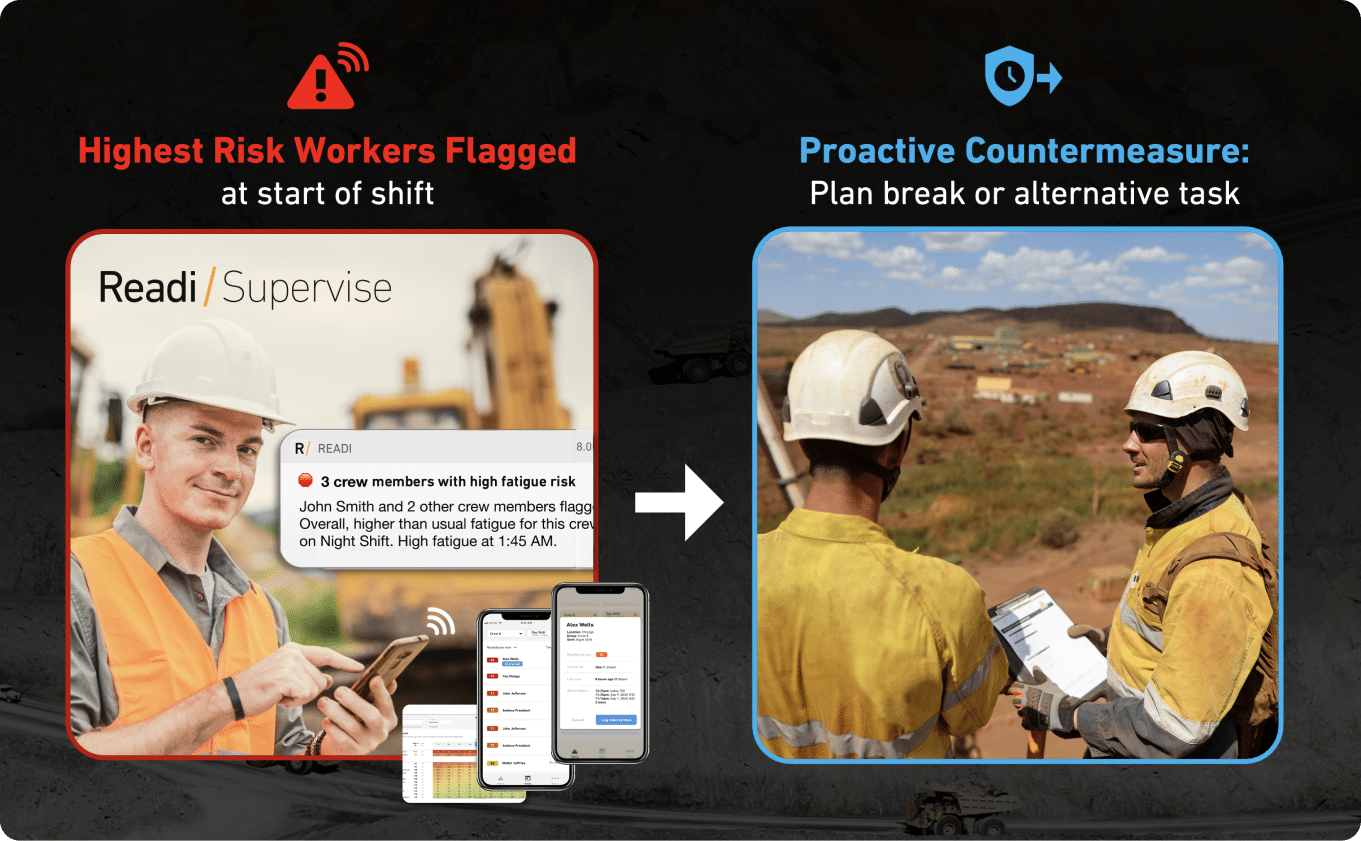
This is where predictive fatigue management adds a distinct layer of value. Readi, for example, uses sleep and schedule data pulled from existing ELD systems to forecast fatigue risk up to 18 hours before a shift begins, without requiring wearables or new hardware. This type of leading indicator can help dispatchers and safety managers identify elevated risk before a driver is behind the wheel, giving the in-cab camera system fewer high-risk events to capture in the first place.
Accident liability is one of the strongest drivers of in-cab video adoption. In litigation involving commercial vehicles, video evidence can determine whether a fleet is seen as proactive or negligent. Courts and juries respond to visual evidence more strongly than to data logs alone.
Fleets that can produce clear in-cab video showing a driver was alert, following traffic laws, and operating safely have a significant advantage in defending against claims. On the other hand, if video shows distracted driving, drowsiness, or phone use, the footage can be used against the fleet.
This dual nature of in-cab video means that fleets need to pair camera systems with strong coaching programs and proactive risk management. Installing cameras without addressing the root causes of unsafe behavior, including fatigue, distraction, and poor scheduling, can create a liability record rather than reduce one.
Not all in-cab video systems offer the same capabilities. When evaluating commercial vehicle cameras, fleet safety leaders should consider:
| Feature | Why It Matters |
|---|---|
| Event-triggered recording | Reduces footage volume and focuses review on high-risk moments |
| Driver-facing and road-facing lenses | Captures both internal behavior and external context |
| Cloud storage and remote access | Allows safety teams to review events without physical access to the vehicle |
| Telematics integration | Pairs video with speed, location, and vehicle data for full event context |
| Real-time alerts | Notifies managers of critical events as they happen |
| AI-based detection | Identifies behaviors like phone use, smoking, or eye closure automatically |
| Audio recording | Adds verbal context to visual footage, though privacy rules vary by jurisdiction |
| Tamper resistance | Prevents drivers from disabling or obstructing cameras |
Fleets should also evaluate how well a camera system integrates with their existing telematics and ELD platforms. Standalone video systems that require separate logins and manual review create extra work for safety teams. Integrated systems that surface video alongside telematics alerts and compliance data reduce the coaching burden and speed up incident response.
In-cab video is a powerful tool, but it has clear boundaries. Cameras are reactive by design. They record and alert based on events that have already occurred or behaviors that are already visible. A camera can detect that a driver's eyes are closing, but by that point the driver is already impaired.
This reactive nature means that in-cab video works best as part of a layered safety program that includes both leading and lagging indicators. Lagging indicators, like camera-triggered events and incident reports, tell you what went wrong. Leading indicators, like predicted fatigue scores and schedule risk assessments, tell you what is likely to go wrong before it does.
Fleets that rely solely on in-cab video often experience "alarm fatigue," where safety managers are overwhelmed by the volume of alerts and spend excessive time reviewing footage. Reducing the number of events that reach the camera in the first place, through better scheduling, fatigue forecasting, and proactive intervention, makes the camera system more effective and the safety team more efficient.
Successful in-cab video programs share several characteristics:
In-cab video is a proven and valuable part of the fleet safety technology stack. Its greatest impact comes when it works alongside other tools, including telematics, ELDs, driver coaching programs, and predictive risk systems, to create a safety program that catches risk early and responds to events quickly.
In-cab video becomes most useful when a fleet needs proof that holds up under pressure. A video clip paired with vehicle data gives safety, claims, and operations teams one record to review instead of three competing versions of the same event.
The value also extends far beyond crash response. Well-run video safety solutions help fleets sort risk by severity, settle service disputes with facts, and turn short clips into practical driver coaching.
Commercial vehicle cameras give fleets a record that insurers, attorneys, and internal reviewers can examine in the same way. A preserved clip can show a passenger car that cuts into the truck's lane, a sudden stop by the lead vehicle, a missed signal by another road user, or a driver action that reduced harm. That level of detail can narrow fault disputes early and reduce the chance that the larger vehicle absorbs blame by default.
Strong footage also helps in high-friction claims, including staged crashes and exaggerated injury allegations. Fleets with clear retention rules, secure storage, and documented access history are in a better position when a case reaches court, because the video is easier to authenticate and harder to challenge. For drivers who followed policy and used sound judgment, that record can protect both the person and the fleet from avoidable legal exposure.
Telematics cameras improve driver behavior analysis because they let safety teams rank events by risk instead of by volume alone. A brief distraction clip, a close-follow event, a near miss in traffic, and a backing error do not carry the same weight. Systems that sort events by severity help managers focus first on the few clips that signal the highest exposure.
Coaching also improves when video review includes more than fault. Fleets can use clips to show defensive moves that prevented a crash, lane choices that reduced conflict, or calm responses in heavy traffic. Some programs also give drivers access to their own clips through a mobile app, which supports self-review between formal coaching sessions. That approach can improve skill without a long delay between the event and the feedback, and it gives supervisors examples they can use for recognition as well as correction.
Insurance cost reduction often starts with claim quality, not claim count. When a fleet can submit a clear clip early, adjusters spend less time on reconstruction, reserve decisions become more accurate, and weak third-party allegations are easier to challenge. Faster fact review can also shorten the period where a truck, a driver, or a safety manager sits in administrative limbo.
The operating gains show up in routine work too. In-cab video can confirm that a truck reached a location but could not access the dock, document unsafe yard conditions, or show that a delivery failed because of site constraints rather than driver error. Footage tied to harsh acceleration, hard braking, and other aggressive inputs can also help fleets address habits that increase brake wear, tire wear, and fuel waste. In fleets with formal policies, video records can support checks on route conduct, backing procedures, and other safety rules that affect both loss frequency and day-to-day efficiency.
In-cab video gives fleets a sharp record of roadway events, but a camera by itself cannot serve as a full fatigue-control program. The footage appears after a trigger such as hard braking, a lane departure, or a collision clip, which places the first clear signal late in the risk chain.
That sequence creates a blind spot for fleets with overnight routes, variable dispatch times, and long duty windows. Commercial vehicle cameras can show what the driver did in a critical moment; they cannot sort tomorrow morning's driver list by likely fatigue exposure before trucks leave the terminal.
Driver monitoring systems capture visible behavior inside the cab, and road-facing units capture external context. That combination supports driver behavior analysis and safety event documentation, yet it still centers on the event window itself.
Fatigue often builds through schedule pressure, sleep restriction, and circadian disruption that starts well before any clip exists. A dual-facing system may show eye closure, delayed response, or drift across a lane marker, but the camera does not calculate who came into the shift with the lowest cognitive reserve. For dispatch and safety teams, that leaves a key question unanswered at the point of assignment.
A camera-based workflow also struggles with low-visibility risk. Some drivers show little outward sign of fatigue until the final seconds before a mistake. Others complete most of a route without an alert, then hit one high-consequence event near the end of the shift. In-cab camera benefits remain real in those cases, though the system still acts as proof after exposure has already reached the road.
Large fleets often deal with more video than safety staff can review with care. Telematics cameras trigger clips for speed changes, impacts, following distance issues, and distraction-related events; each one needs context before a coach or supervisor can decide what action fits the case.
Industry coverage of video safety solutions points to the same operational problem: the footage alone does not explain priority. One provider noted that a fleet cannot act on a raw count of 1,700 events for one driver without analytics that sort severity and pattern. Another platform uses AI to rank collisions and near-misses so managers know which clips need faster review. Those examples show the same limit in a different form, a camera system can collect evidence at scale, but scale does not equal clarity.
| Tool or signal | Primary output | Usual timing | Standalone gap |
|---|---|---|---|
| In-cab video | A short visual record tied to a triggered event | After the vehicle detects a threshold event | No shift-level forecast of fatigue exposure |
| Telematics data | Speed, position, braking force, acceleration, and other event markers | At or just after the trigger | No view into sleep history or likely alertness before dispatch |
| Driver self-report | A stated fit-for-duty status from the driver | Before departure, when used | Depends on memory, candor, and consistency |
| Readi | On-demand visibility into workforce fatigue risk and performance for supervisors and operations teams | Before work periods and planning decisions | Requires teams to act on the signal through dispatch, task, or schedule decisions |
Where alert volume climbs, review quality can flatten. Supervisors may handle only the most severe clips, while smaller patterns stay buried across separate routes, terminals, or weeks of event data. A camera-first process then turns into a claims and coaching tool rather than an early-control method.
Driver-facing systems often raise privacy concerns that road-facing units do not. Fleets that install inward-facing cameras without a clear policy can run into objections from drivers, labor groups, or both, especially when crews see the device as surveillance inside the workplace.
Trade reporting shows how practical that resistance can become. One fleet described broad acceptance for outward-facing units, while inward-facing cameras required one-on-one meetings before installation. The company allowed veteran drivers to cover the interior lens after a 30-day trial; 18 of 31 chose that option. Those numbers point to a simple operational limit: when the driver-facing view becomes optional or restricted, the value of that part of the system drops with it.
The strongest camera programs offset some of that friction through transparency, access rules, and coaching standards. Even then, trust remains fragile in fleets with long-tenured drivers or union presence. A tool that depends on continuous interior observation may struggle to reach full use in those settings.
A clip can support a post-event finding that fatigue likely played a role. It cannot tell the dispatcher, several hours ahead of departure, which driver on a night run may carry reduced alertness because of recent sleep loss or a poor alignment between schedule and circadian timing.
That is the point where predictive fatigue management enters the stack. Readi, for example, uses sleep and schedule data pulled from existing ELD systems to forecast fatigue risk up to 18 hours before a shift begins, without requiring wearables or new hardware. This type of leading indicator can help dispatchers and safety managers identify elevated risk before a driver is behind the wheel, giving the in-cab camera system fewer high-risk events to capture in the first place.
The distinction affects daily operations more than theory. Camera footage helps a fleet respond to what already reached the cab. Predictive fatigue analytics helps supervisors sort risk before a route assignment locks in, before a coach receives a clip, and before accident liability depends on what the video captured.
In-cab video usually stores a short record around a trigger such as hard braking, a lane event, speeding, or a crash. That footage gives supervisors a direct view of what took place inside and outside the vehicle at the point of risk, which makes it useful for driver behavior analysis, coaching, and accident liability review.
Predictive fatigue analytics answers a different question. Instead of waiting for a safety event, it calculates expected cognitive effectiveness for an upcoming duty period from sleep history, wake duration, circadian timing, and ELD-based work patterns. The output is a pre-shift fatigue score that can reach as far as 18 hours ahead, which gives dispatch and safety teams time to adjust plans before a driver reaches the road.
Commercial vehicle cameras depend on visible evidence and vehicle triggers. A driver-facing lens may show eyelid closure, distraction, or a missed mirror check; telematics cameras may flag harsh deceleration or rapid lane movement. Those signals are useful, but they appear once the exposure is already active.
Predictive fatigue systems rely on a sleep-science model rather than visual observation. Readi runs through ELD integration, processes each driver’s recent rest and duty pattern, and produces individual risk scores without a wearable program, added cab hardware, or a daily manual log. That setup suits fleets with long-haul schedules, overnight freight, and privacy-sensitive workforces that may resist more intrusive driver monitoring systems.
| Criteria | In-Cab Video | Predictive Fatigue Analytics |
|---|---|---|
| Main question answered | What took place during the event? | Who faces elevated fatigue exposure on the next shift? |
| Primary data source | Camera footage plus event triggers from the vehicle | Sleep-wake history, duty timing, and biomathematical fatigue modeling |
| Time horizon | Seconds before and after a trigger | Pre-shift view, up to 18 hours before duty |
| Typical user action | Review clip, confirm facts, coach driver, manage claim | Reassign load, alter departure time, adjust task mix, flag supervisor follow-up |
| Driver acceptance challenge | Privacy concerns with driver-facing video safety solutions | Low friction because no extra device or constant self-report sits on the driver |
| Best fit in the workflow | Claims, coaching, safety event documentation | Dispatch, supervisor planning, fatigue risk control |
The operational difference shows up in how work gets prioritized. Video queues build after alerts land in the dashboard. Fatigue analytics sorts risk before the route begins, which helps supervisors spend time on the drivers and shifts most likely to need action.
In a large U.S. logistics pilot, fleets that used predictive fatigue analytics saw a 42% drop in fatigue-linked in-cab telematics events versus an identical driver group without that predictive layer. That result points to a different use of fleet safety technology: less dependence on clip review after a severe event and more use of pre-shift risk scores to prevent the event from showing up at all.
Possible responses vary by operation:
This approach changes the role of in-cab camera benefits inside the safety program. The camera still handles proof, context, and coaching after a trigger; the fatigue model helps reduce sleep-related harsh braking, delayed reactions, and other telematics events before they reach the review queue.
Fleets often split safety work across separate tools and teams. Video safety solutions sit with safety managers, HOS data sits with compliance, and route pressure sits with operations.
That split creates blind spots. Commercial vehicle cameras capture what took place in the cab and on the road, while predictive fatigue analytics adds shift-level context that can shape dispatch, coaching, and task assignment before a driver reaches a high-risk part of the day.
In-cab video already supports accident liability defense, safety event documentation, and driver behavior analysis. Predictive fatigue analytics adds value to those same systems by tying fatigue risk to the operational decisions that sit behind many camera-triggered events, such as overnight dispatch, compressed turnaround time, and irregular rest opportunity.
For fleets that already use telematics cameras, ELD platforms, and driver monitoring systems, that added context improves the return on tools already in place. Readi gives supervisors on-demand visibility into workforce fatigue risk and performance, which helps with resource allocation, task planning, worker training, and scheduling. That means a safety team can look at a harsh braking clip and know more than the clip itself can show.
This paired approach also sharpens manager time. Instead of equal attention across every event, teams can place greater weight on footage tied to a higher-risk shift, a repeat pattern on the same lane, or a driver whose schedule shows reduced sleep opportunity.
Video answers one set of questions well: what the driver did, what traffic looked like, and what happened in the seconds around the event. Predictive fatigue analytics answers a different set: which upcoming shifts carry elevated exposure, which assignments deserve closer review, and where schedule design may raise risk before the route starts.
That distinction helps both safety and operations. A dispatcher can use fatigue insight when making load assignments for an overnight run. A terminal supervisor can spot a pattern across back-to-back starts. A safety manager can review footage with a fuller picture of sleep loss, circadian timing, and route demand instead of treating each clip as an isolated mistake.
Together, those signals support a stronger decision process:
Fatigue does not only raise crash exposure. It can also show up in costly driving patterns such as late braking, abrupt throttle input, and inconsistent speed control. Those patterns increase fuel use, add strain to tires and brakes, and create more review work for supervisors who already manage a heavy alert queue.
A combined model helps contain those costs from two directions. In-cab video gives proof of service, supports claims defense, and shows exactly where behavior broke down. Predictive fatigue analytics helps managers address the schedule and alertness factors that can sit behind those behaviors, which reduces unnecessary event volume and lowers the amount of manual triage required from safety staff.
For fleets that move freight through the night, across long corridors, or under tight delivery windows, that operational gain is practical. Supervisors spend less time sorting routine clips, coaching time becomes more deliberate, and existing fleet safety technology supports both incident response and daily planning.
Camera footage answers what took place on the road. Fatigue analytics should answer a different operational question: which upcoming shifts carry elevated risk before dispatch locks in the day.
The best fit for transportation fleets is a system that supports daily planning with very little extra effort from drivers or supervisors. In long-haul, night, and weather-exposed operations, feature quality shows up in adoption rates, review speed, and how quickly a manager can spot a small number of high-exposure assignments.
A practical system should read the duty and schedule data the fleet already collects through its ELD program, then turn that information into fatigue risk scores automatically. Fleets do not gain much from a platform that depends on handwritten sleep notes, separate logins at the start of every shift, or a device that drivers must charge and sync.
That point becomes more important in fleets with mixed route lengths, union considerations, or a high share of overnight work. Tools that ask for frequent manual input often lose consistency after rollout, while ELD-linked workflows stay closer to normal dispatch and compliance routines.
| Feature area | Strong option | Weak option |
|---|---|---|
| Data source | Pulls duty, shift, and rest inputs from the ELD environment | Depends on manual driver entries |
| Driver participation | Little to no daily action required | Requires repeated check-ins or device upkeep |
| Workflow fit | Feeds fatigue information into normal safety and operations review | Sits outside the main review process |
| Adoption profile | Works in long-haul and higher-friction environments | Adds steps that drivers and supervisors must remember |
Fleet averages do not help much at 4:30 a.m. when a dispatcher needs to assign a run. The feature to look for is shift-specific forecasting at the individual driver level, with enough precision to flag the exact start window, route segment, or duty period that carries the highest fatigue exposure.
That level of detail separates a planning tool from a historical report. A monthly trend can show that fatigue risk exists in the fleet; it cannot tell a terminal manager which driver should avoid a demanding night route after a short recovery period or which early departure deserves closer review.
Fatigue analytics should sit close to the tools that already shape driver coaching and safety event documentation. Fleets that use in-cab video, telematics cameras, and commercial vehicle cameras need a fatigue layer that lines up with event review, scorecards, and supervisor follow-up instead of forcing staff to stitch together separate records by hand.
A strong setup allows a safety manager to place fatigue risk next to harsh braking clips, speeding events, route conditions, and prior coaching notes. That structure improves driver behavior analysis because the team can see whether a pattern points to distraction, schedule strain, poor trip timing, or a mix of causes.
Most fleets do not need another long queue of alerts. They need a supervisor-facing view that ranks the highest-risk drivers and shifts first, so a dispatcher, terminal manager, or safety lead can act on a short list instead of sorting through the entire roster.
Useful dashboards usually share three traits:
The fatigue model itself deserves close scrutiny. Some systems produce broad readiness labels that resemble wellness tracking more than transportation risk management, which leaves safety teams with a number but little confidence in what it means on the road.
Fleets should look for models built on sleep science and cognitive performance research, with direct attention to the factors that shape alertness in shift work:
A fleet that combines video safety solutions with a model grounded in those principles gains a more useful picture of risk, one that supports both accident liability protection after an event and better control of driver risk before the trip starts.
Implementation starts with operating discipline, not more dashboards. Fleets get the best return when camera footage, duty records, route plans, and fatigue scores support the same daily decisions across dispatch, safety, and terminal leadership.
Most transportation teams already have commercial vehicle cameras, telematics cameras, and safety event documentation in place. The missing piece is often a clear process that ties those systems to shift assignments, supervisor review, and coaching priorities before preventable risk turns into a video clip.
Begin with a working map of your current process. Focus on where in-cab video enters the workflow, which alerts create the most review time, and where supervisors still rely on judgment alone because no early fatigue signal reaches them in time.
The goal of the audit is not technical inventory for its own sake. It is to find the points where driver monitoring systems document outcomes well, yet provide little help with route selection, schedule pressure, overnight dispatch, or recovery time between shifts.
Use the audit to answer five practical questions:
A short gap analysis helps turn that audit into action:
| Area | Current-State Question | Gap to Flag |
|---|---|---|
| In-cab video | Which events trigger clips and who reviews them? | Large review queue; inconsistent triage |
| Duty and schedule data | Can shift history and work timing move into another system without manual re-entry? | Spreadsheet workarounds; delayed visibility |
| Dispatch workflow | Can assignments change before wheels roll? | No formal pre-departure review step |
| Coaching process | Do coaches see event footage alongside recent work pattern context? | Coaching based only on the clip |
| Driver communication | Do drivers know how the program affects daily decisions? | Low trust; avoidable resistance |
Once the audit is complete, evaluate fatigue tools based on operational fit. For fleets that run night freight, regional linehaul, or weather-exposed routes, the right system should support supervisors with individual risk visibility, fit current workflows, and avoid extra burden on the driver.
Readi is built for that kind of environment. It gives operations teams and supervisors on-demand visibility into workforce fatigue risk and performance, and it supports decisions on resource allocation, task planning, worker training, and scheduling. Because it does not depend on added hardware in the cab, rollout tends to be simpler in fleets that already have in-cab video and other fleet safety technology in place.
Use the evaluation process below to compare options:
| Evaluation Criteria | What to Verify | Weak Fit | Strong Fit |
|---|---|---|---|
| Data intake | Can the system use current scheduling and duty data without duplicate entry? | Manual uploads | Automated intake from current records |
| Timing of insight | Does the platform give supervisors time to adjust assignments? | Insight arrives after the trip | Insight arrives before dispatch decisions lock |
| Driver effort | Does the program add steps for the driver every day? | Frequent manual input | Little to no extra driver task load |
| Supervisor workflow | Does the dashboard isolate the few cases that need action? | Full-list monitoring | Priority view for exceptions |
| Scientific basis | Is the score tied to sleep science and cognitive effectiveness? | Generic wellness metric | Fatigue-specific risk model |
| Operational use | Can teams apply the score to scheduling, training, and route planning? | Informational only | Direct use in daily operations |
A pilot group should reflect the fleet's toughest operating conditions. Include routes with overnight mileage, variable appointment windows, border crossings, long waiting periods, or frequent customer delays. Those conditions will show quickly whether the system improves decisions or simply adds another report.
A workable program needs a documented response path. Supervisors should know what to do when a driver shows elevated fatigue exposure, which cases need dispatch review, and how camera evidence fits into the follow-up after the trip.
One practical model is to set actions by risk band:
This workflow creates a usable record for later coaching. A clip of harsh braking or distraction has more value when the coach can also see whether the trip followed a short restart, a rotating shift, or a delayed overnight dispatch. That broader view helps the fleet separate skill issues from schedule-driven exposure and apply the right fix.
Each intervention should have a short record: driver name, route, shift window, risk level, action taken, approving supervisor, and any outcome after the trip. Over time, those records show which decisions reduce repeat events, which terminals act consistently, and where policy changes are overdue.
Driver communication should happen before the first review meeting, not after resistance appears. Clear language reduces confusion around privacy, discipline, and the purpose of predictive tools, especially in fleets that already use driver-facing cameras.
Keep the message concrete:
Managers need coaching as well. A supervisor who cannot explain a fatigue score, or who treats every elevated score as a conduct issue, will damage trust quickly. The program should separate risk control from discipline, and that distinction needs to hold across every terminal and shift.
Performance tracking should focus on operating outcomes that leaders already care about: fewer high-risk events, less review backlog, smoother driving, and better use of supervisor time. The scorecard should stay simple enough for weekly use and detailed enough for monthly trend review.
Use a KPI table that blends in-cab video, telematics, and fatigue analytics:
| KPI | Formula | What It Shows |
|---|---|---|---|
| Telematics safety event rate | Total triggered events / total miles x 100,000 | Overall safety event frequency |
| Harsh braking rate | Harsh braking events / total miles x 100,000 | Severity and frequency of abrupt response behavior |
| Rapid acceleration rate | Rapid acceleration events / total miles x 100,000 | Driving smoothness and fuel impact |
| Video review volume | Total event clips reviewed per week | Workload on safety staff |
| Review hours per supervisor | Total review hours / number of reviewers | Administrative demand by team size |
| Intervention completion rate | High-risk shifts with documented action / total flagged shifts | Whether supervisors act consistently |
| Repeat event rate | Drivers with 2 or more triggered events in 30 days / active drivers | Coaching and control effectiveness |
One benchmark is useful for pilot review: a large U.S. logistics group that used Readi saw a 42% reduction in fatigue-linked in-cab telematics events compared with an identical driver group without the predictive layer. That kind of result helps a fleet judge whether the program changes exposure on the road, not just reporting habits in the office.
Review results by terminal, route type, shift start window, and driver tenure. Those cuts often reveal where the process works well, where dispatch practices add avoidable strain, and where safety teams need tighter standards for follow-up.
Fleet teams usually assess in-cab video from two angles: what the cameras capture on the road, and what the footage changes in the back office. These questions address both sides of that decision.
The clearest in-cab camera benefits often show up outside the crash file. Fleets use commercial vehicle cameras to resolve disputed deliveries, document blocked docks, verify service at customer sites, and preserve a visual record of pre-trip conditions when equipment damage becomes a later issue.
In-cab video also improves day-to-day safety operations in ways that standard telematics cameras do not always cover on their own:
For fleets with overnight schedules, remote routes, or frequent public interaction, video safety solutions add operational control as well as safety event documentation.
In-cab cameras improve safety when they add context to risky moments that would otherwise look the same in a dashboard. A harsh stop near a school zone, a sudden swerve in a construction lane, and a close call at a tight customer yard can all produce similar sensor data. Video shows which events came from poor choices and which came from difficult road conditions.
Some driver monitoring systems also sort clips by severity, use HD or low-light capture, and allow manual clip saving from the cab. That helps safety teams focus on the events with the highest coaching value instead of treating every alert as equal. Over time, fleets can compare patterns by route, terminal, time of day, or vehicle type and adjust training to match the actual exposure each group faces.
In accident liability cases, footage becomes more useful when the fleet treats it as formal evidence rather than just a coaching tool. Courts and insurers look for lawful collection, clear timestamps, authentic files, and a documented chain of custody. A strong clip can lose value fast when audio consent is unclear, storage rules are loose, or a file gets overwritten after a serious event.
Fleets usually protect that value through a few basic controls:
That process supports legal review, insurer negotiations, and internal fact-finding without gaps that can weaken a defense.
Some in-cab systems can flag visible fatigue cues such as long eyelid closures, repeated gaze drops, head nods, or delayed steering correction. Those signals help after a drowsy event, especially when a fleet needs to determine whether fatigue played a role in a near miss or policy breach.
A camera still cannot see cumulative sleep debt, circadian misalignment, or reduced cognitive effectiveness before those factors show up in behavior. Readi addresses that earlier stage through biomathematical fatigue modeling and sleep-wake data from existing fleet systems. That gives dispatch and safety leaders a view of elevated risk for an upcoming duty period, including night departures and schedule transitions that often carry higher fatigue exposure.
Reactive fleet safety technology activates from an event on the road. It produces clips, alerts, and review queues after a hard brake, close call, distraction event, or crash. Predictive fleet safety technology works earlier in the workflow and supports decisions on dispatch, route timing, task allocation, and supervisor attention before the trip starts.
The operational output is different as well. Cameras create evidence files and coaching records. Predictive fatigue analytics creates an exception list that helps managers focus on the drivers and shifts with the highest fatigue exposure. In a large U.S. logistics pilot, fleets that used a predictive fatigue layer saw a 42% reduction in fatigue-linked in-cab telematics events compared with an identical driver group without that layer.
Fleets that treat in-cab video and predictive fatigue analytics as separate programs miss the connection between them. Cameras need fewer high-risk events to capture, and supervisors need fewer clips to sort. Readi forecasts fatigue risk up to 18 hours before a shift begins using data already flowing through the fleet's ELD system, with no wearables or added hardware. That gives dispatch and safety teams a short list of elevated-risk assignments to review before trucks leave the yard, which reduces the volume of events that reach the camera and the coaching queue downstream.
The fleets that get the most from their safety technology are the ones that connect what happens on the road to the decisions that shaped the trip before it started.
Book a demo to explore how Fatigue Science's predictive fatigue management software can improve safety and productivity.
The main downside is that in-cab video footage can be used against the fleet if it shows driver distraction, drowsiness, or policy violations. Fleets that install cameras without addressing root causes like fatigue and poor scheduling may create a liability record rather than reduce one.
An in-cab camera for trucks is a dual-lens video system that records both driver behavior inside the cab and road conditions outside the vehicle. The system triggers short recordings when the vehicle detects safety events such as harsh braking, rapid acceleration, or collisions.
Dash cam videos use event-triggered recording that saves footage from several seconds before and after a safety trigger. The system stores clips in cloud-based platforms paired with telematics data like speed, location, and braking force, giving reviewers full context for each incident.