
Fatigue Management
Fleet Management


HOS violations occur when commercial drivers or motor carriers fail to follow federal Hours-of-Service rules that limit driving time and require rest periods. Understanding these violations, their penalties, and how to prevent them is essential for fleet managers, drivers, and safety professionals focused on HOS compliance and driver risk management.
These rules exist for one core reason: to reduce fatigue-related crashes. The FMCSA's HOS regulations set specific limits on how long a driver can operate a commercial vehicle before mandatory rest. When those limits are ignored or improperly tracked, the consequences range from financial penalties to increased crash risk and degraded safety ratings.
For fleet safety teams, HOS violations represent more than a compliance gap. They signal a breakdown in driver fatigue management. A driver who exceeds allowable hours is more likely to experience the cognitive impairment associated with sleep loss, including slower reaction times, reduced situational awareness, and impaired decision-making.
The challenge is that HOS tracking tools like ELDs capture whether a driver is within legal limits, but they do not measure whether that driver is actually rested. Two drivers can both be HOS-compliant and have very different levels of fatigue risk based on their recent sleep history, shift timing, and circadian factors. This gap between compliance and actual fitness is where many preventable incidents occur.
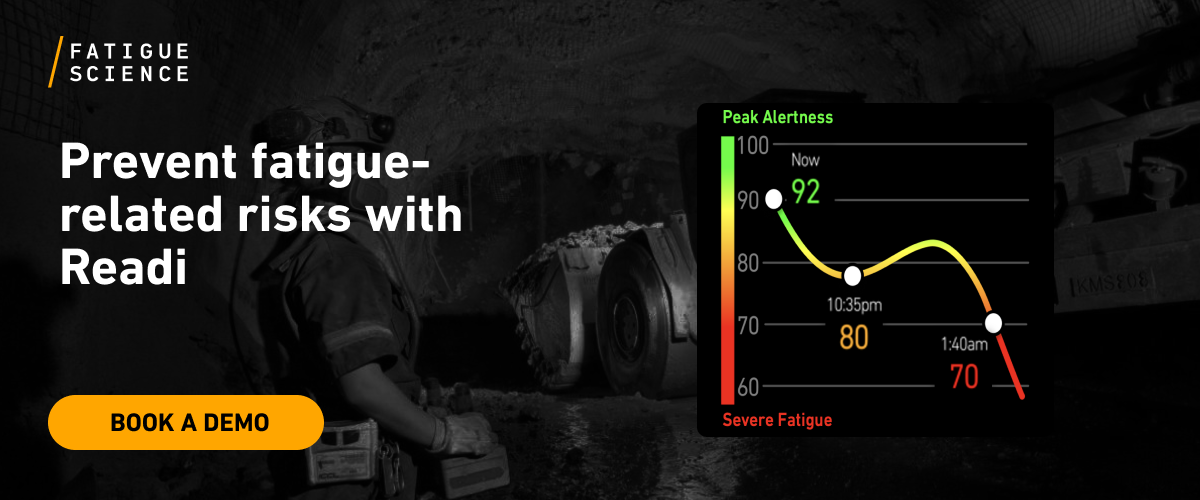
Predictive fatigue management tools like Readi address this gap by forecasting fatigue risk up in advance of shift using sleep and schedule data, giving supervisors a leading indicator that goes beyond what HOS regulations alone can provide. This kind of preventative fatigue management helps fleets move from simply avoiding HOS violation penalties to actively reducing the fatigue risk those rules were designed to prevent.
Telematics should sit inside a broader HOS compliance process, not beside it as a separate report stream. The strongest setups help fleets catch violations early, protect schedule control, and support driver fatigue management on routes where long duty days, night miles, and delay pressure raise risk.
Good alert logic starts with the actual hours of service rules the fleet must follow. Safety teams need that rule base in place before any report, threshold, or coaching standard goes live; otherwise the system will flag the wrong events, miss true exceptions, or push supervisors into weak decisions.
A useful telematics program puts ELD integration, truck activity, dispatch status, and supervisor action in the same workflow. That shared view lets compliance, operations, and safety compare what the log shows against what the vehicle actually did during the shift.
This type of operating picture helps teams spot problems that a stand-alone log screen can miss. A truck that moves during off-duty time, a route that continues after the break window tightens, or a pattern of unidentified driving across the same terminal all point to HOS violations that deserve review before they turn into citations or out-of-service events.
Alert timing decides whether telematics acts as prevention or paperwork. A next-morning report may help with a log audit, but it does not help a dispatcher who could have moved an appointment, reassigned a load, or stopped an illegal trip extension the night before. Practical HOS tracking tools notify the right person while legal options still exist.
Supervisor response should stay simple and consistent. A fleet safety technology stack works better when each alert has a clear action tied to it: call the driver, review detention, change the route, deny an unsafe extension, or escalate a repeated pattern for deeper review. That is where preventative fatigue management starts to take shape inside daily operations.
The first step in effective telematics use is a clear alert hierarchy. Start with the four rule categories that create the highest exposure under HOS regulations: drive time beyond 11 hours, workdays that run past the 14-hour window, missed 30-minute break requirements, and 60/70-hour accumulation breaches across the week.
Each one points to a different operational breakdown. Excess drive time often appears at the end of a rushed route. A 14-hour overrun usually traces back to detention, dock delays, or dispatch changes that consumed the day before the truck reached the last stop. Break violations often show weak trip pacing. Weekly hour overruns usually show schedule pressure spread across several days rather than one bad shift.
Telematics should also monitor record quality, not only the rule count. Unsupported log edits, unidentified driving time, and duty-status entries that conflict with actual vehicle movement weaken ELD integration and create compliance exposure during audits, inspections, and post-incident review. A truck in motion during off-duty time, repeated personal conveyance misuse, or missing explanation notes around edits all deserve attention.
High-frequency issues and high-severity issues should not enter the same queue. Frequent edit requests or small clusters of unassigned miles may call for coaching and process cleanup. A drive-time overage, a weekly limit breach, or repeated late-night 14-hour squeezes need faster intervention because they can point to both recordkeeping failure and a schedule pattern that raises fatigue exposure in overnight and long-haul operations.
After a fleet identifies which HOS violations need close watch, the next step is one shared record of the trip. Separate systems for logs, GPS activity, and dispatch notes slow decisions and leave too much room for disputes after the fact.
A strong setup places duty status, remaining hours, engine activity, location history, and route events in one view. That layout lets compliance staff compare what the log shows against what the truck actually did, which is far more useful than a next-day log review alone.
Shared visibility helps each team act sooner and with better context. Dispatch can see when detention starts to consume the 14-hour window; compliance can check edit requests against route history and supporting records; safety leaders can spot customers, lanes, or terminals that produce repeat HOS violations.
The most useful fleet safety technology supports supervisor decisions in real time. When one platform shows available hours beside route progress and schedule changes, teams can correct a load plan, document an exception, or stop a bad handoff before it turns into a citation or an out-of-service event.
Telematics has the most value when alerts reach the right person with enough time to act. Many HOS violations start hours before the citation point, after detention, traffic, route changes, or parking limits cut away the driver’s legal margin.
Alert logic should track the limits that most often create roadside exposure: remaining drive time, remaining on-duty time, break thresholds, and cumulative weekly hours. The goal is simple; give dispatch, safety, and the driver enough notice to change the plan while legal options still exist.
Alert timing should match the route and the job. A short regional run has different needs than an overnight lane with tight delivery windows, winter weather, and limited parking, so fleets should set early notice points that reflect actual operating conditions rather than default software settings.
A next-day HOS report has value for audits, coaching, and CSA review, but it cannot prevent the violation that already took place. Once the driver crosses the limit, the fleet faces the downstream effect: roadside citations, possible out-of-service action, missed appointments, extra log review, and added pressure on the next load.
Early warning supports practical proactive safety management. It gives supervisors time to reschedule an appointment, reassign freight, stop an unsafe trip extension, or direct the driver to legal parking before a bad plan turns into HOS violation penalties and a fatigue-related safety event.
Early alerts help only when the fleet can trace the source of the pressure. Many HOS violations begin much earlier in the day, after a late trailer release, an extra stop, or a long wait at a dock cuts into the legal plan.
Telematics can show the full sequence of events across dispatch, movement, and delay. That record gives safety, operations, and compliance teams a practical way to see how hours of service rules break down in real use, especially when non-driving time consumes the margin that looked safe at dispatch.
A useful telematics review should show where the schedule first slipped. Gate timestamps, vehicle movement, dwell history, and dispatch updates can reveal that the violation did not start with the last mile of the trip; it started when the truck lost two hours at a customer and never regained legal margin.
Repeated HOS pressure belongs in fleet safety management because it often points to an operating defect, not a one-off driver mistake. Fleets should sort these patterns by customer, lane, terminal, and shift type so they can correct the sources of recurring HOS compliance failures, reduce driver risk management issues, and limit the disruption that follows roadside citations or out-of-service events.
Alert data shows when a driver comes close to the edge of the clock. Log audit data shows whether that pressure appears once or becomes a pattern across routes, drivers, customers, or terminals. That distinction helps fleets use HOS tracking tools for prevention instead of recordkeeping alone.
A useful audit does more than count citations. It also flags trips that end with almost no time left under the 11-hour limit, the 14-hour window, or the 60/70-hour rule. Those near misses act as leading indicators because they show where the next HOS violation is likely to surface after one dock delay, one traffic backup, or one late dispatch change.
Weekly audit review should group HOS violations and near misses by driver, rule type, tractor, terminal, customer, and lane. That view helps safety, dispatch, and compliance teams see whether the issue starts with one person’s choices or with an operating model that keeps squeezing legal hours.
| Audit view | What it can reveal |
|---|---|
| Violations by rule type | Which hours of service rules break most often |
| Near misses by driver | Which drivers face repeat schedule pressure |
| Missed breaks by lane or customer | Which routes or stops disrupt legal break timing |
| Edit requests by terminal | Where log quality controls need tighter review |
| Unassigned miles by unit | Which vehicles or locations have weak login and assignment discipline |
When fleets study these patterns over time, HOS compliance improves with fewer surprises at roadside and fewer avoidable schedule failures. The same review also supports better risk control, because a cluster of late-day squeezes or repeated break misses often points to the next preventable incident before it turns into a citation, an out-of-service order, or a much larger safety problem.
HOS compliance tells the fleet whether a trip stayed inside the rule set. It does not show how much sleep the driver likely obtained before the trip, how often that sleep window shifted, or whether the route pushed the hardest work into the lowest-alertness part of the day.
That gap shows up most often in long-haul and overnight freight. A driver can log a legal 10-hour break, then report back with limited actual sleep because the break started in daylight, ended before dawn, or followed a late arrival and long detention. Hours of service rules protect against obvious overwork; they do not measure recovery quality.
Telematics gives safety and operations teams a way to flag fatigue-sensitive patterns across several days. Instead of asking only whether a driver crossed the 11-hour or 14-hour limit, review the shape of the work itself:
These signals improve driver fatigue management because they point to the route, terminal, or customer conditions that keep pressure on the schedule. A fleet may find that one distribution center creates repeated late departures, or that one lane forces drivers to search for parking after their available time gets tight. Telematics makes those patterns visible in a way that a roadside citation never will.
HOS tracking tools work best when fleets combine rule compliance with fatigue-aware planning. That includes shift design, dispatch timing, rest opportunity, and supervisor review of recurring night work. For fleets that already use cameras, ELD integration, and coaching, this adds a stronger layer of preventative fatigue management and a more practical form of driver risk management.
After telematics and ELD integration expose a pattern, supervisors need a response map tied to the exact HOS risk. Dispatch should own live trip issues; safety should own log quality and repeat record problems; operations should own schedule pressure caused by dwell time, late tenders, and poor route design.
A practical workflow starts with three alert levels: active violation risk, same-shift correction, and post-trip review. A driver who is close to the 11-hour limit or 14-hour window on a committed load needs a dispatch decision at once, while a series of edit requests or unidentified miles can move to safety review unless the pattern suggests false logs.
HOS tracking tools lose value when the same alert reaches five people and no one owns the decision. Each alert should have one owner, one response deadline, and one short list of approved actions so teams can protect HOS compliance without a long chain of back-and-forth messages.
Alert volume also needs control. Real-time notices should stay limited to cases that can still change the outcome, such as low remaining drive time, an approaching break threshold, or movement that conflicts with duty status; lower-priority items like trend review, coaching, and recurring paperwork errors can wait for a scheduled review block. That split keeps dispatch focused on live risk and gives safety staff time to address repeat behaviors with context instead of rushed corrections.
A strong coaching review starts with the trip record, not the violation label. Match duty-status history with vehicle movement, stop times, detention notes, route changes, gate events, and dispatcher messages so the conversation shows how the day tightened before the rule break appeared.
Supervisors should avoid a one-size-fits-all response because the root causes differ. Repeated 14-hour squeezes after long detention point to weak dispatch planning and poor schedule design; false off-duty status during truck movement points to deliberate noncompliance. One issue belongs in an operational review, while the other belongs in formal discipline.
Context-based coaching also improves the quality of future records. Drivers report problems sooner when they know the review will account for customer dwell, parking limits, and route disruptions instead of treating every event as simple driver fault. Over time, that approach supports cleaner logs, fewer edit disputes, and steadier adherence to hours of service rules.
A useful telematics program should assign a business cost to each HOS event. Fleets need to know which violations create enforcement risk, which ones break the schedule, and which ones show pressure that can raise driver risk on the next trip.
The first layer is direct exposure under HOS regulations. A single event can trigger immediate disruption long before any monthly safety review takes place.
The second layer hits operations. One missed break or 14-hour violation can cause a missed appointment, a load repower, detention disputes, extra empty miles, and driver frustration after a day that ends without a clean delivery. When the same pattern shows up by customer, terminal, or lane, the cost belongs to the system as much as the individual log.
HOS tracking tools should also support incident prevention work. After a serious crash, investigators often reconstruct the full timeline through ELD files, duty records, dispatch messages, fuel receipts, toll records, and vehicle movement data to see whether the trip stayed legal and whether schedule pressure played a role.
That same method works before a crash occurs. Fatigue appears in about 13% of commercial vehicle crashes in federal crash research, and the true number may be higher because fatigue can be hard to prove after the fact. When a fleet sees missed breaks, near-limit days, unassigned driving time, or disputed edits cluster with harsh driving events or overnight routes, the pattern points to a driver risk management problem that deserves action. That is where telematics supports both HOS compliance and preventative fatigue management with facts that operations, safety, and dispatch can all use.
A weekly scorecard shows where hours of service rules hold and where they break down under real operating pressure. Review the data by driver, terminal, rule type, lane, and operating group so each problem sits next to the team that can fix it.
The weekly review should pair HOS tracking tools and ELD integration data with what happened in the business that same week. Put violation counts next to dispatch changes, customer dwell time, route overruns, weekend recoveries, and night-heavy schedules so the source of the pressure becomes visible.
That comparison helps teams separate two very different problems: noncompliance by choice, and noncompliance created by the plan. A route that runs legal on paper but fails after two dock delays and a late load swap needs route redesign, not the same coaching used for false logs or status misuse.
Use each review cycle to tighten the system in practical ways. Adjust alert timing where drivers reach the limit too often, add buffer time to lanes with chronic detention, shift coaching toward recurring break errors, and rebalance workloads that stack too many high-duty days into one stretch. Strong fleet safety technology does more than count HOS violations after the fact; it helps safety, dispatch, and operations reduce the conditions that produce them.
The most common HOS violations stay consistent across fleets: the 11-hour driving limit, the 14-hour on-duty window, the 30-minute break rule, and the 60/70-hour limit. Log quality problems also sit high on the list, especially false or unsupported edits, personal conveyance misuse, yard move misuse, and unidentified driving that no one clears the same day.
Fleets cut violations before they occur when telematics shows the trip conditions that usually push a driver into a bad decision. The pattern often starts with detention, a late pickup, a gate delay, or a reload that leaves too little room inside the driver’s available hours.
HOS violation penalties can include roadside citations, out-of-service orders, CSA score damage, missed service commitments, and extra audit work for the office. The most useful HOS tracking tools pull the driver’s daily log, available hours, route trace, dwell time, and edit history into one screen so safety, dispatch, and compliance can review the same trip record without gaps.
Hours of service rules reduce exposure to long work periods, but they do not account for every fatigue condition a driver faces. A legal log can still sit on top of poor daytime sleep, repeated overnight work, split rest that leaves weak recovery, or a route that puts the hardest miles into the body’s lowest-alertness window. Some fleets add Readi so supervisors can make schedule, task, and resource decisions with fatigue risk visibility 18 hours in advance.
Dispatch needs a fixed playbook when a driver gets close to running out of hours. The next step should come from the trip facts: move the appointment, route the truck to safe parking, shift the load to another driver, stop a questionable trip extension, and document the reason the original plan failed.
Fleets that treat HOS monitoring as a standalone compliance task will keep chasing the same violations. The ten steps above work because they connect telematics, ELD data, dispatch decisions, and supervisor response into one system that catches pressure early and fixes the source. Adding a predictive fatigue layer strengthens that system further. Readi forecasts fatigue risk up to 18 hours in advance and requires no wearables or new hardware, giving safety and operations teams a leading indicator that HOS logs and cameras cannot provide on their own.
Book a demo to explore how predictive fatigue management software can improve safety and productivity across your fleet.